AllocationsPermanent link to Allocations
The Allocations Usage dashboard summarizes how your account is consuming its Service Unit (SU) allocation and storage.
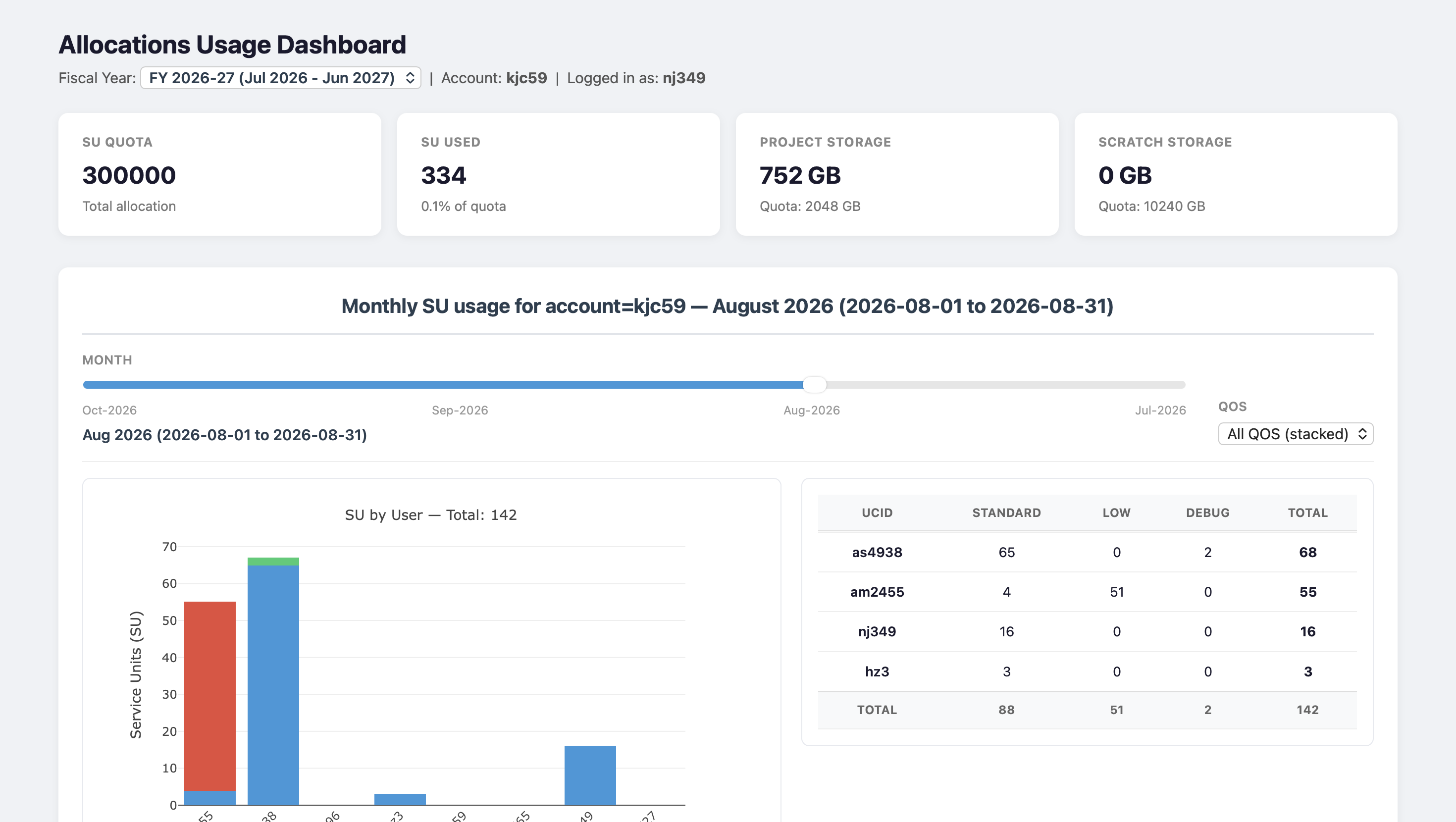
At the top, choose the Fiscal Year and confirm the Account you are viewing. Four cards summarize:
- SU Quota — total SUs allocated for the fiscal year
- SU Used — SUs consumed so far, and the percent of quota
- Project Storage — used vs. quota
- Scratch Storage — used vs. quota
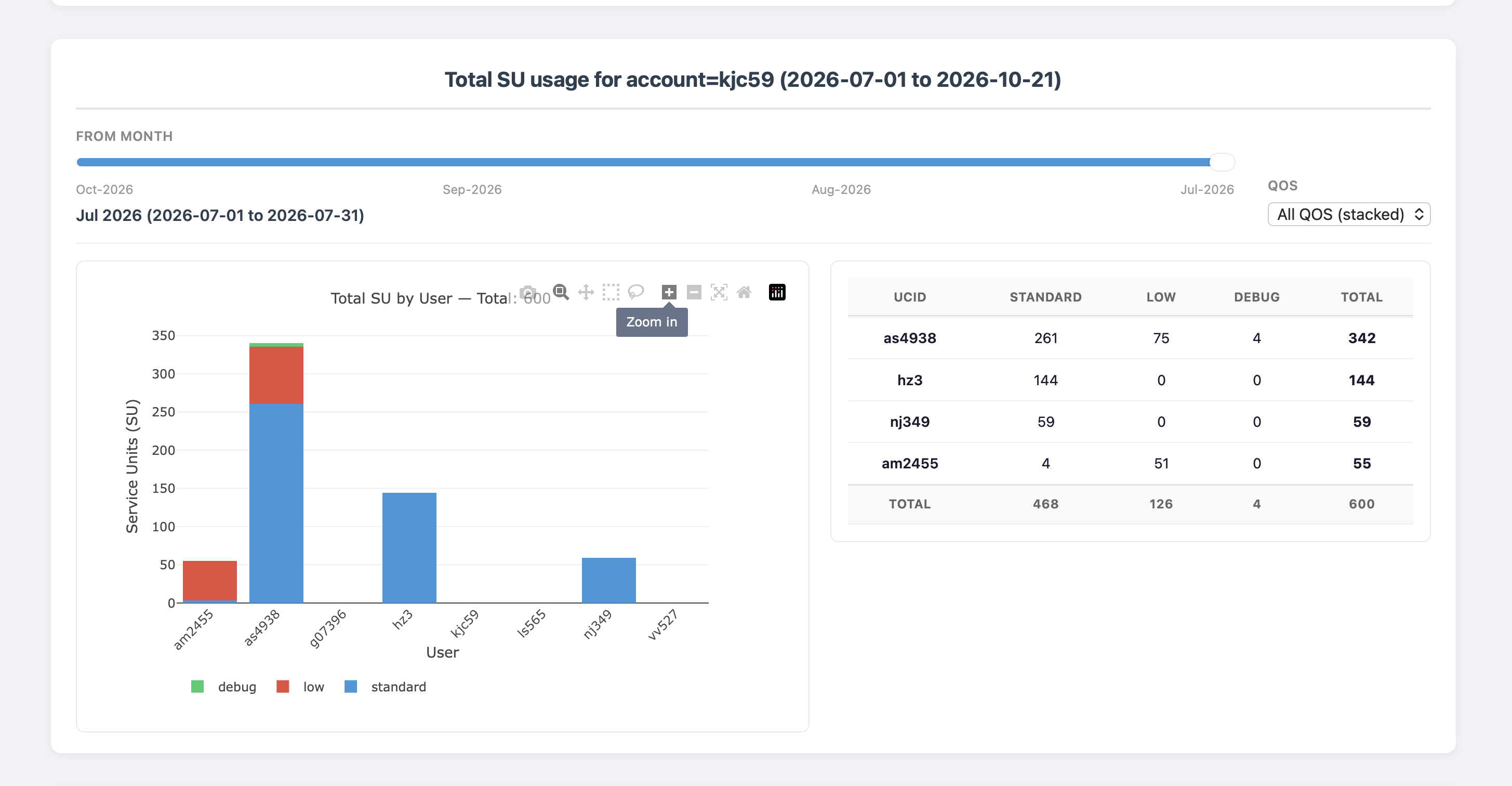
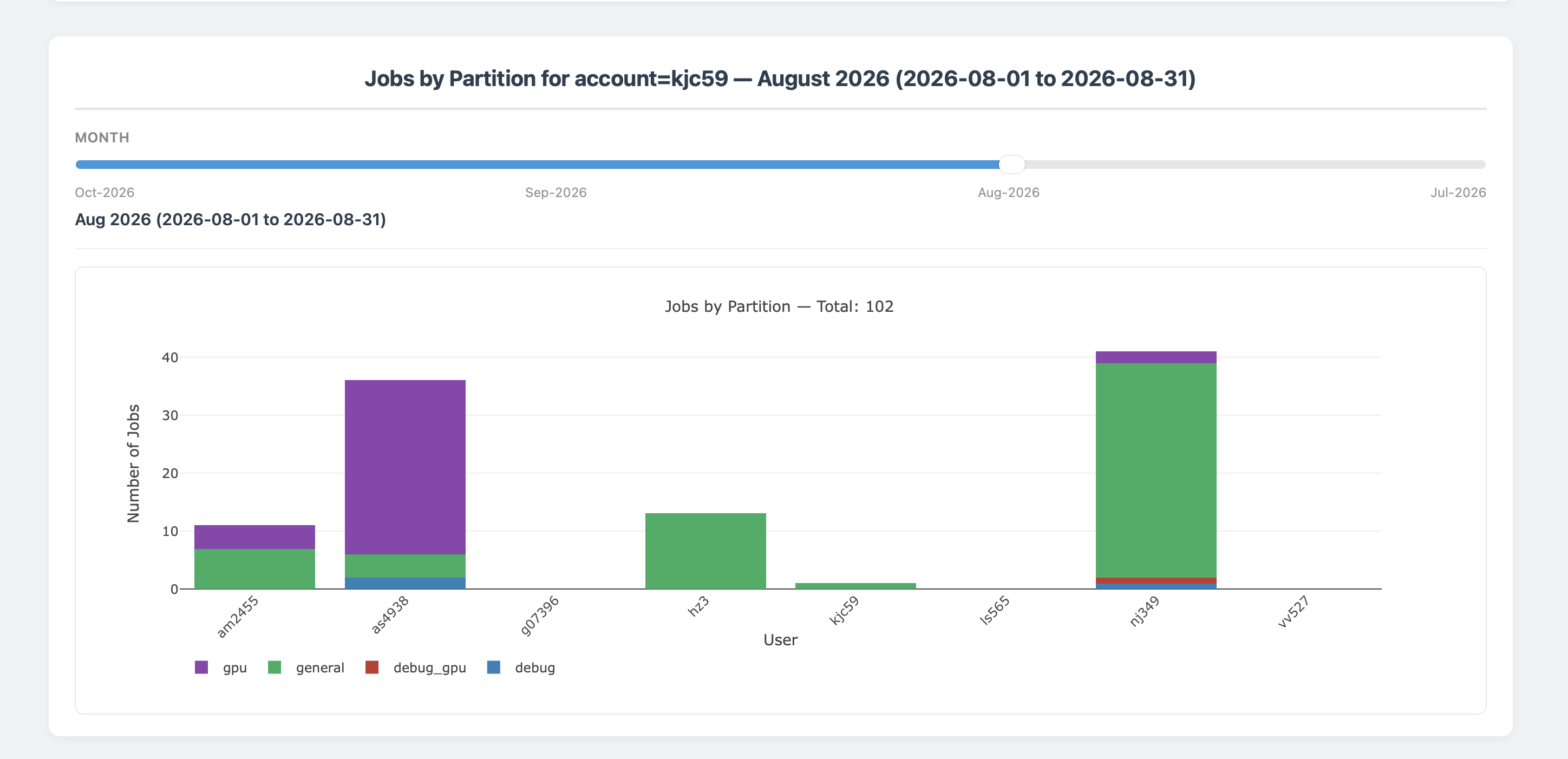
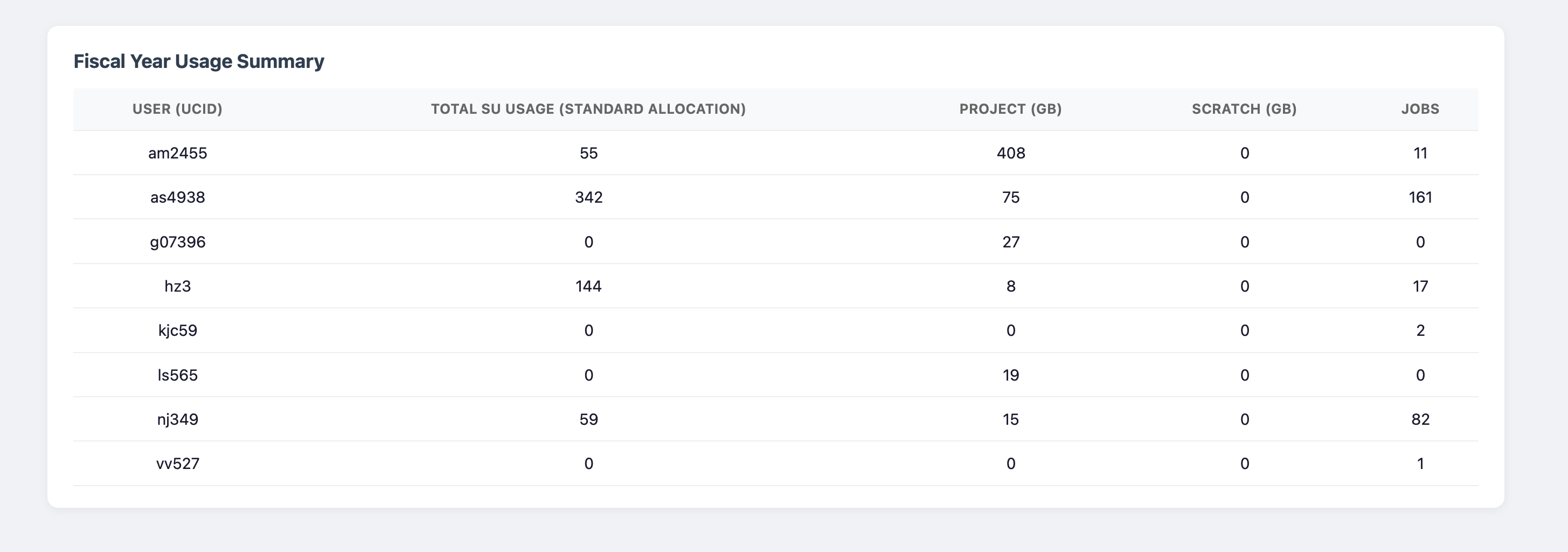
Below, a Month slider and a QOS selector let you scope the view. The SU by User chart and the accompanying table break down SU usage per user (UCID) for the selected period, so PIs can see who on the account is using the allocation.
Tip: You can also reach this dashboard from the Allocations panel on the main Dashboard, or from the Allocations Usage button on the My Jobs page.